Accessible from anywhere
Logic Repair runs in the browser. Your team works at any location, with no installation and no server of your own.

Logic Repair is the software for managing repairs. It brings structure to your orders and defines your processes in workflows, so your team has time for the repair itself.
For smartphones and everything else that gets repaired:SmartphonesPCsDronesScootersRobot vacuumsCoffee machinesWatches
Logic Repair runs in the browser. Your team works at any location, with no installation and no server of your own.
Developed and operated in Germany. A data processing agreement is available, and your data is backed up daily.
Orders, inventory, purchasing, invoicing and cash register in one system, with fixed statuses and consistent processes instead of isolated tools.
Repair shop, user roles, user groups, users: for every function you decide who may see, read or edit it.
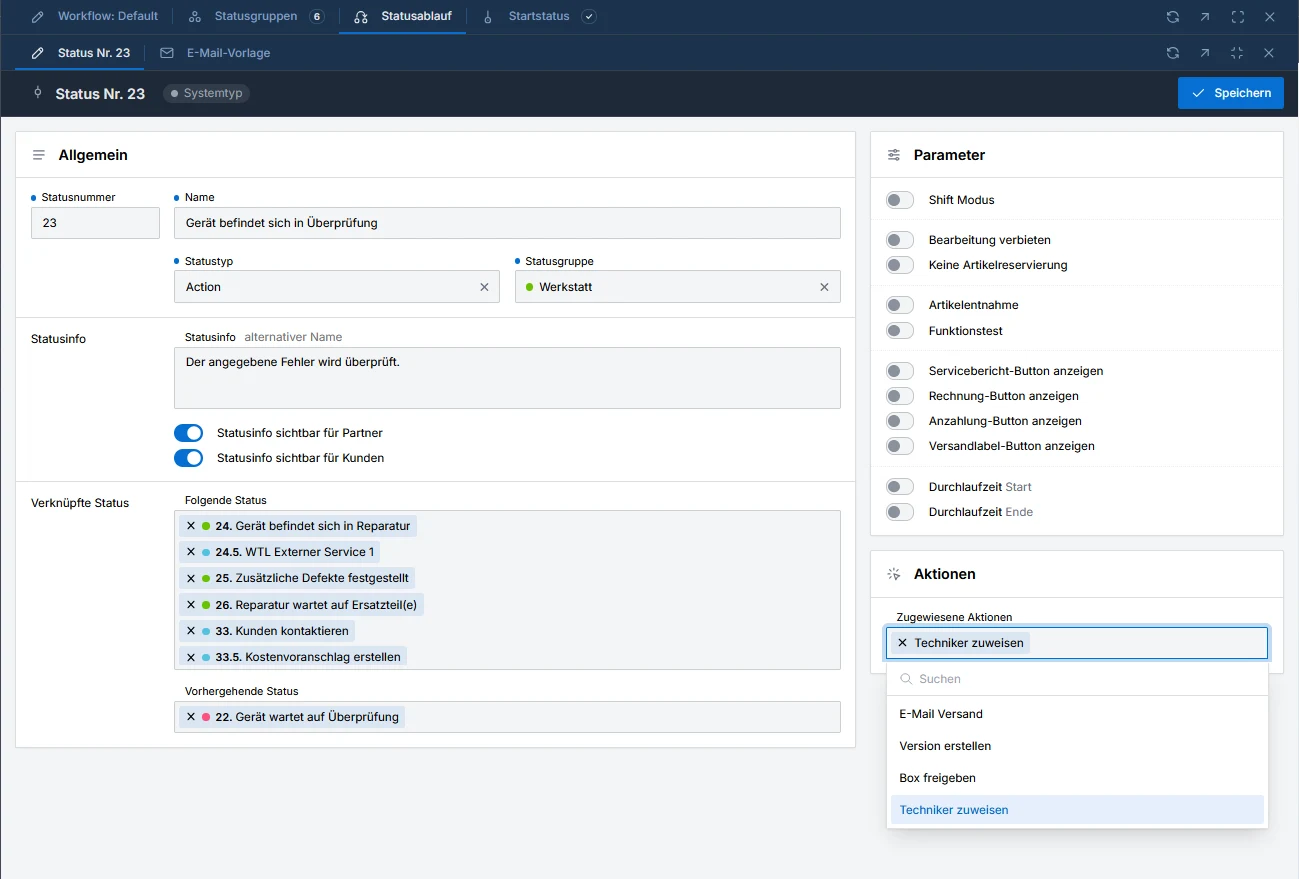
Define repair steps and actions freely, for example sending an email or reserving spare parts. Order types for standard repairs, warranty claims, manufacturer repairs and insurance.
Multiple repair shops within the same company, franchise shops on request and B2B partners who create repairs themselves.
Spare parts, order planning, barcode labels, shipping with DHL and UPS, invoices and cash register in one system.
The history in the repair order shows in detail who changed the status, uploaded files or created versions.
Credit notes, down payments, cancellations, open items and payment reminders are covered. The TSE integration for the cash register will follow.
Updates included, no setup fee, billed monthly, net.
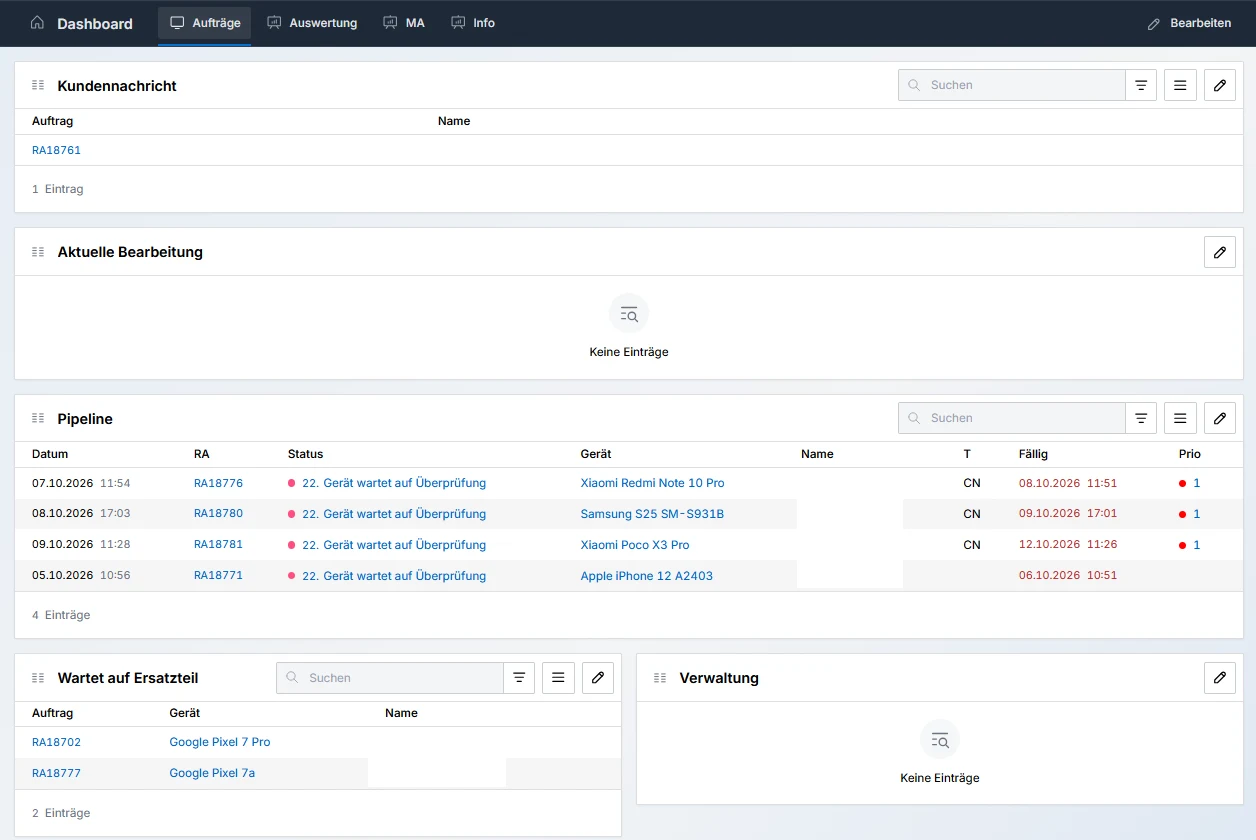
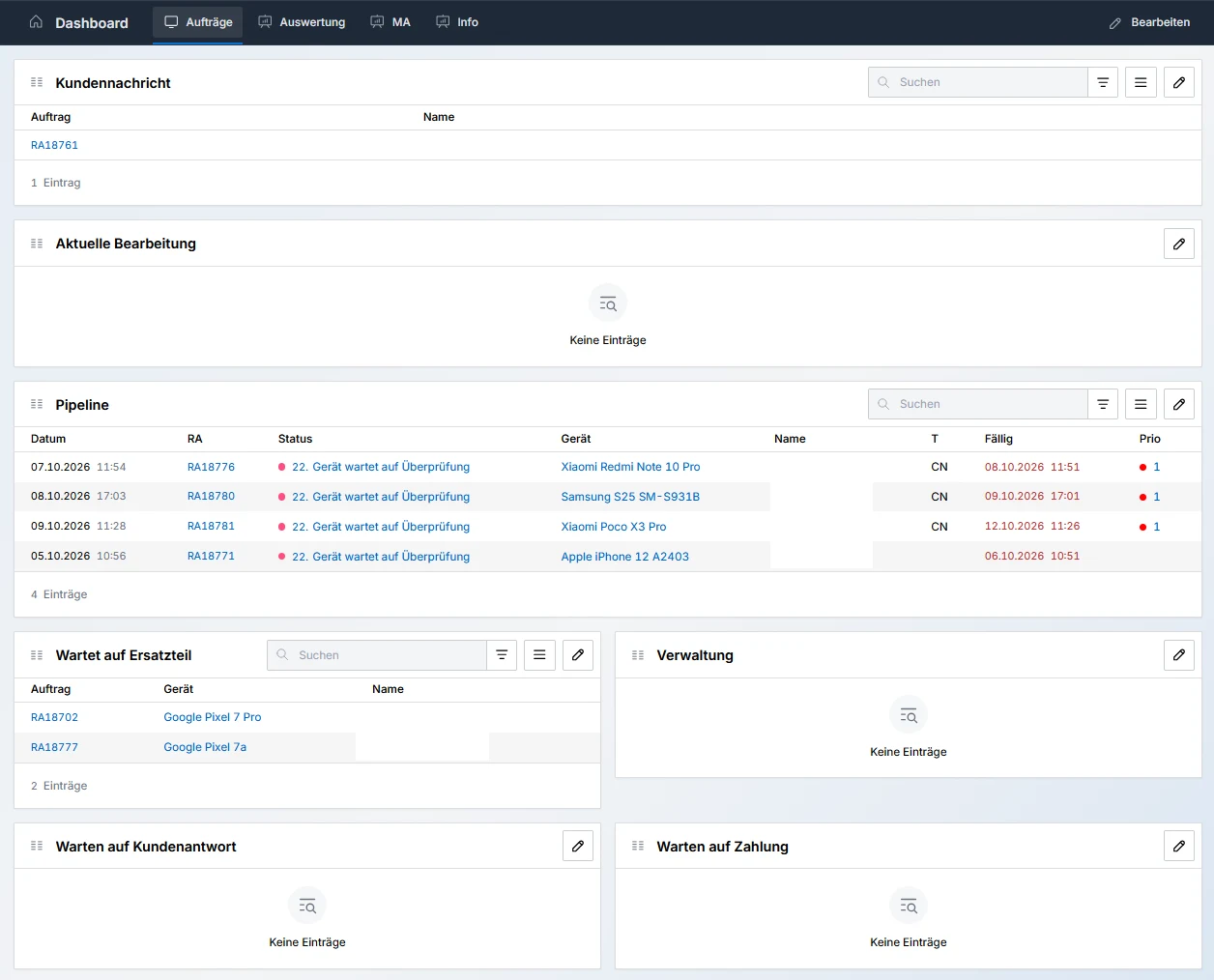
Create your own widgets for repair orders, filtered by status, priority or due date. Further widgets evaluate billing, for example for revenue or profit.
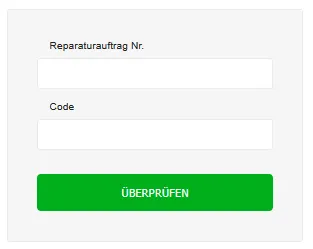
Your customers check the status of their order on your website themselves.
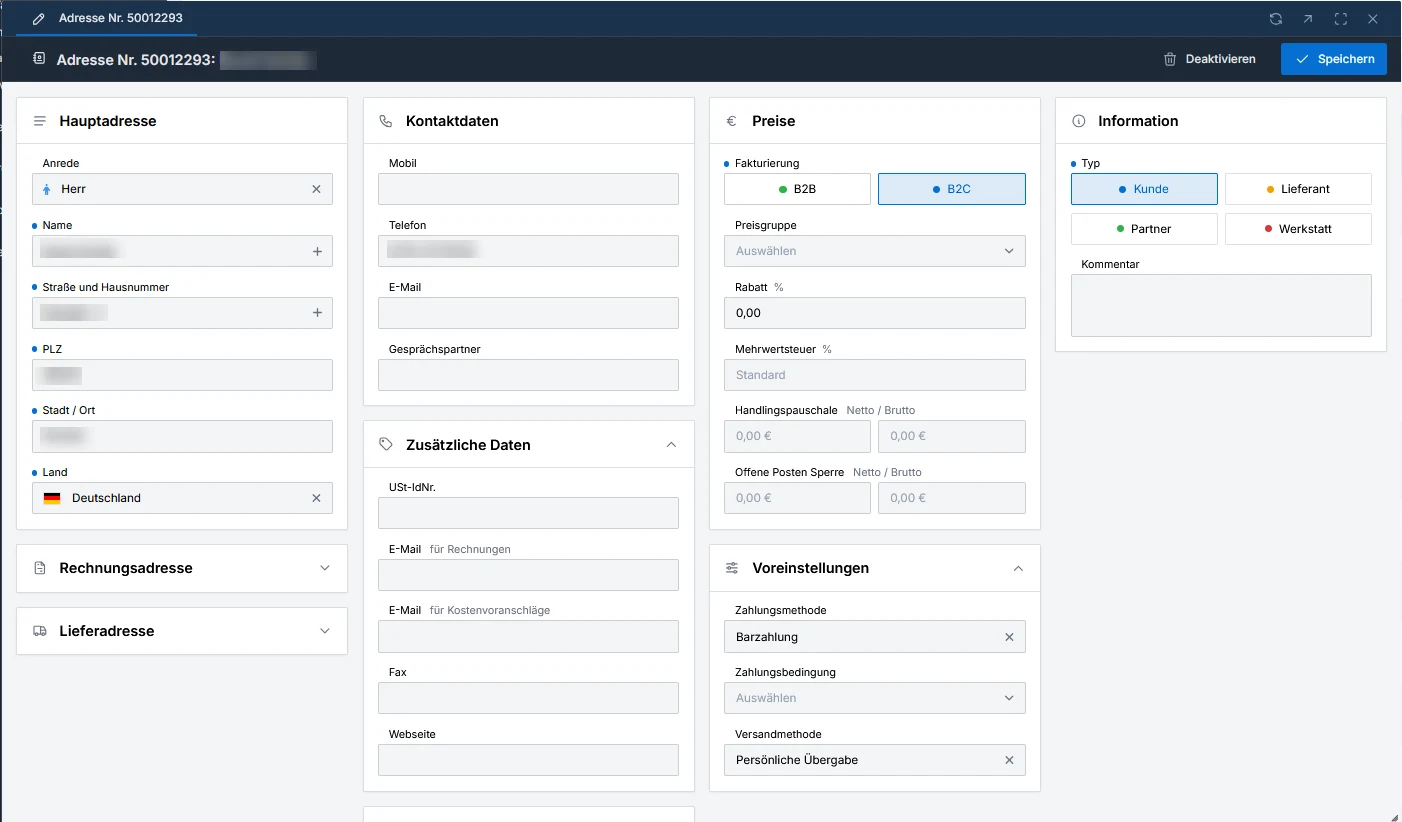
Customers, suppliers, partners and repair shops in one place, with price group as well as payment and shipping method. You can also create new addresses directly when creating a repair order.
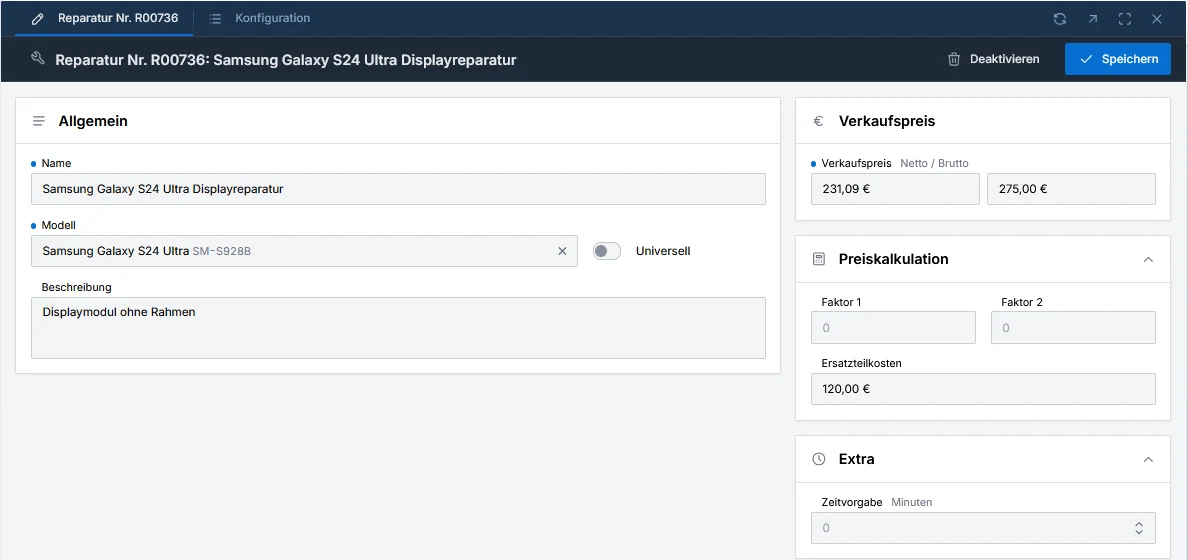
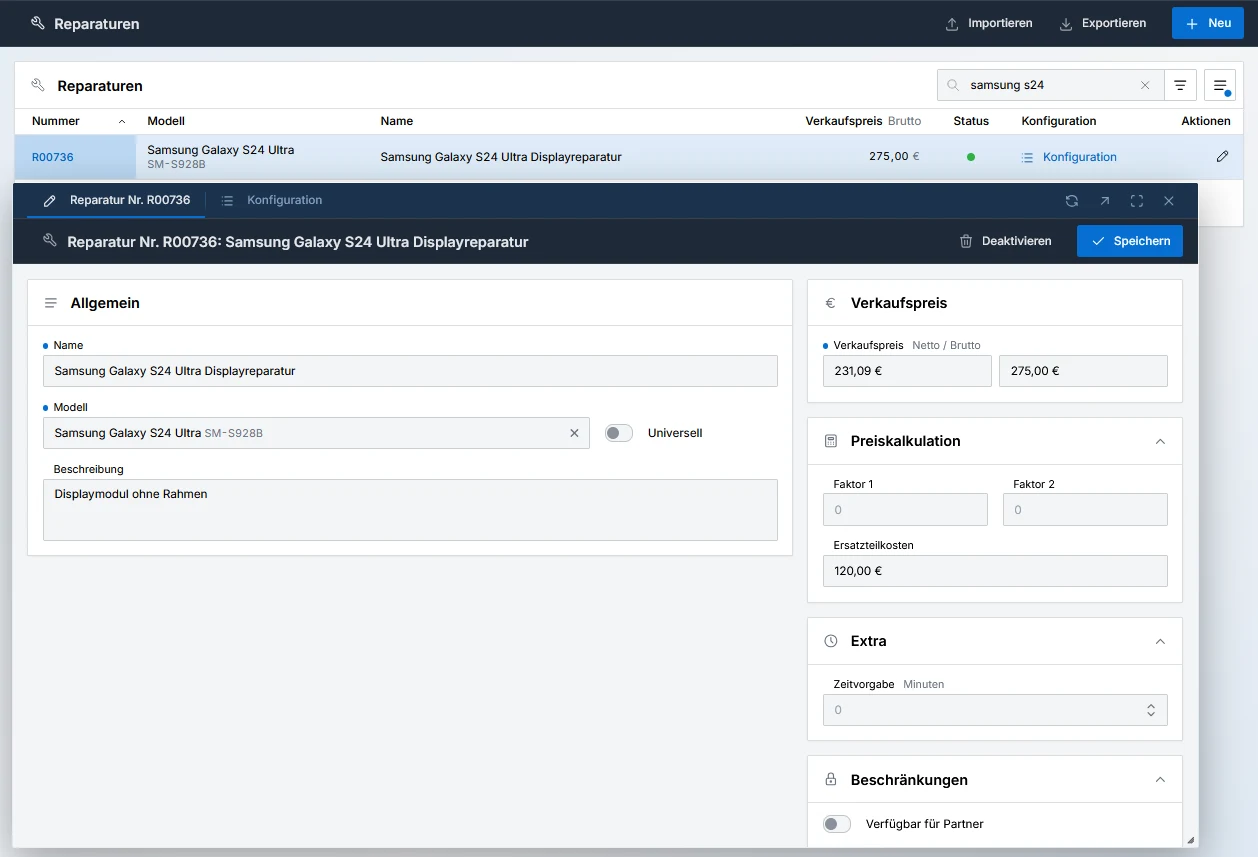
Manage your repairs and assign them to models. A repair such as a display replacement can be set up as “universal” for all models if needed. You maintain sales price, price calculation and time allowance per repair.
The most important part of repair: all order, customer, device and billing data in one place. You create quotes within seconds through a workflow step and send them by email.
Billing for repair orders and for the sale of accessories. You also create the daily cash reports (open cash register) here.
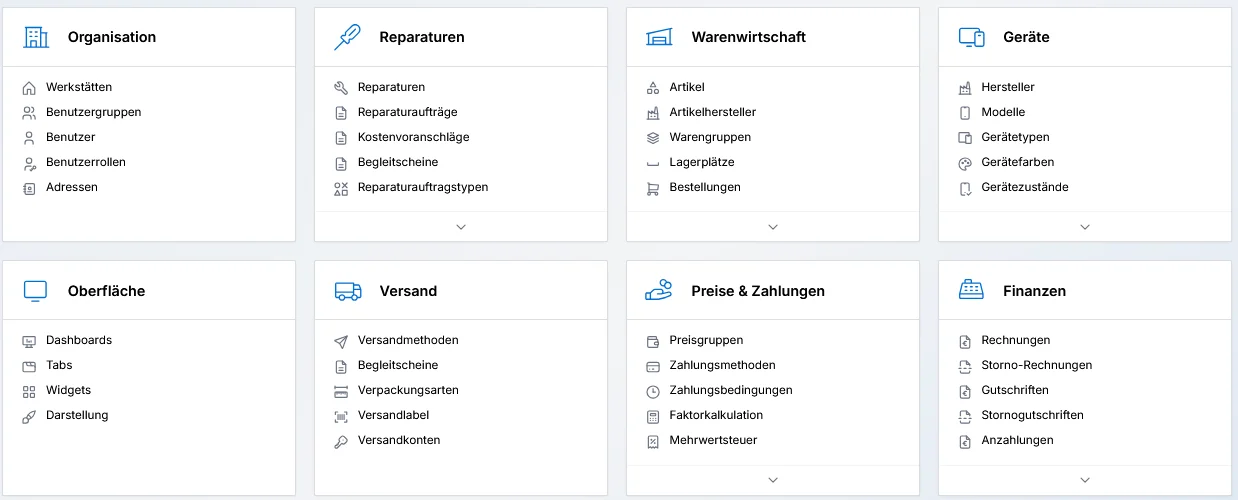
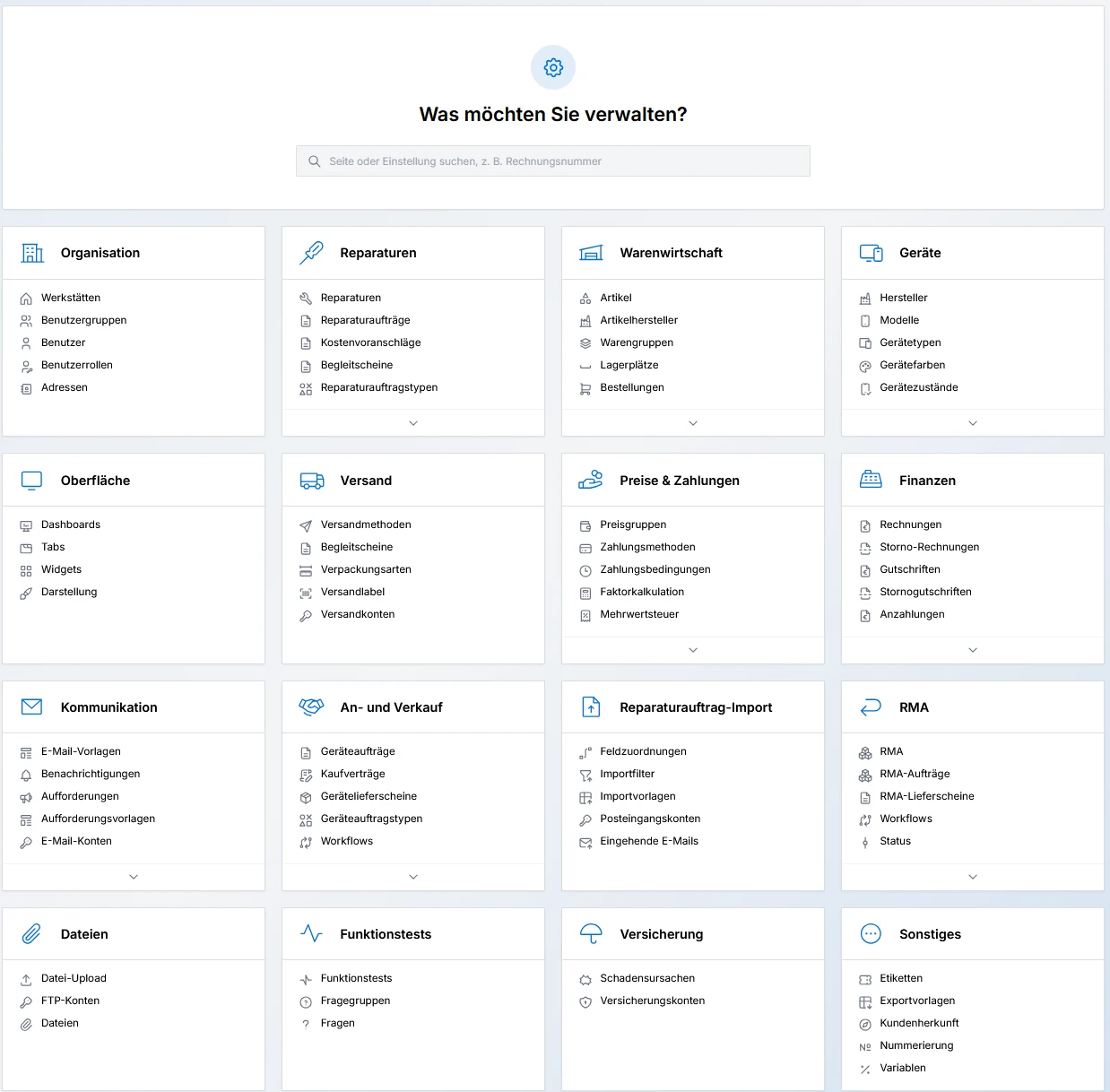
The settings menu lets you adapt the system extensively to your repair shop: organization, repairs, prices, communication, workflows and much more.
For every status you define which status comes before it, which ones are possible next and which actions are attached. You can set up a separate process for each order type.
First try it, then bring your data, then get started. And we tell you in advance what can be migrated and what cannot.
From 1 November 2026 you can try Logic Repair with demo data and test your process without involving your real data.
Your addresses, items, stock levels, storage locations and repairs move into the new system. Migrating addresses, items and repairs is free of charge.
Your team keeps working in your process, with your statuses and your steps.
Documents already created and past repair orders are not migrated. We would rather tell you that up front.
From 1 November 2026 we show you in a short online demo what your daily work looks like with it, or you test it for 14 days with demo data. Reserve your spot now.
Reserve a demo ›